
A few years ago I built an online ordering system for restaurants, and the single feature that customers cared about more than anything else was not the menu builder, or the time slots, or the order management screen. It was the printer. When a customer places an order, a ticket must come out of a machine in the kitchen, on its own, with nobody watching a screen. We needed to print online orders automatically!
That one feature is the reason I have spent the last while building something new. Because the problem is not limited to restaurants, and it is not limited to my software.
The problem is bigger than restaurants
Almost every platform that sells things online will email you when an order comes in. WooCommerce does. Shopify does. Wix does. Your booking system does. The delivery apps do. Every one of those emails lands in an inbox that somebody has to actually look at.
In a quiet office that is fine. In a kitchen at seven on a Friday night, it is not fine. Nobody is looking at a phone. The notification makes a noise that nobody hears. The order sits there. And then a customer phones to ask where their food is, and the answer — the honest answer — is that nobody saw the email.
The existing fixes for this all have a catch:
- Cloud printers. A printer with its own internet connection that receives print jobs directly. They work well. They also cost several thousand rand, and you are buying a new printer to solve a software problem.
- PC-tethered print services. A small program runs on a computer in the shop and talks to the printer over USB. Also works. Also means a computer must live in the shop, stay on, stay awake, and not get switched off by whoever locks up.
- Platform-specific plugins. Excellent if you are on the one platform they support. Useless the moment you take orders from two places, which almost everybody eventually does.
What nobody was selling was the obvious one: use the email. The email already exists. It already contains the order. It arrives whether you are on WooCommerce or Shopify or a booking form somebody built you in 2014. If a cheap Android phone could read that inbox and drive a Bluetooth thermal printer, the whole problem goes away for the price of hardware most people already have in a drawer.
So I built it. It is called , it is on , and it went from an idea to a published app in nine days.
What it actually does
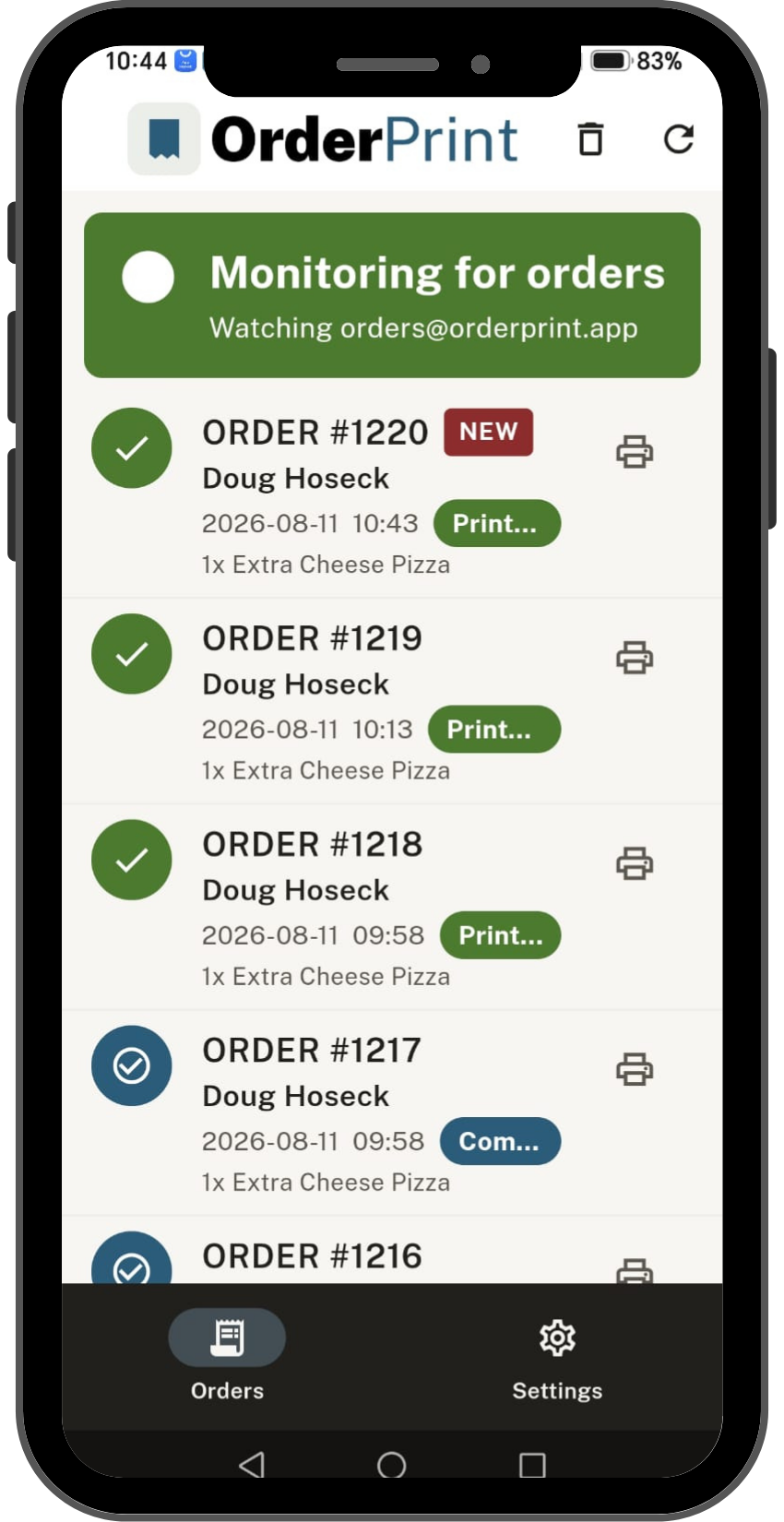
An old Android phone sits by the till, plugged in. It is signed in to the mailbox your order emails arrive in. Every thirty seconds it checks that mailbox, and when a new order email appears it renders a proper receipt and sends it to your thermal printer over Bluetooth. Nobody touches anything.
The parts that matter:
- It works with any platform that emails you an order. WooCommerce, Shopify and Wix get purpose-built parsing so the ticket comes out looking like a real receipt with the items, quantities, totals, customer, and delivery details in the right places. Anything else falls back to printing a cleaned-up version of the email, so the app is useful on day one even on a platform I have never seen.
- There is no server. None. There is no OrderPrint account to create, no cloud service in the middle, nothing to subscribe to a hosting bill for. Your mailbox password and your customers’ orders live on your phone and go nowhere else. I could not read your orders if I wanted to, because there is nowhere for them to be sent.
- It runs multiple printers. A kitchen ticket and a counter copy from the same order, on any paid plan.
- It prints when the order was placed, not just when it printed. More on why that one small line matters below.
- The first hundred orders a month are free, with a small OrderPrint line at the bottom of the receipt. Paid plans start at about $7 a month and drop the line.
The interesting part: what actually went wrong
Anybody can describe an app that works. The useful thing to write down is the list of things that broke, because every one of them is a trap that any developer building something similar is going to walk into.
Android kills long-running apps, and it has got worse
This is the whole game. An app that must run for eighteen hours straight, unattended, on a cheap phone, is fighting the operating system the entire time. Android is actively designed to stop what this app is trying to do.
The predecessor to this app used a foreground service declared as a dataSync type. That was correct and normal for years. Then Android 15 introduced a six-hour daily cap on exactly that service type — and every day, six hours in, the app was killed. In a shop that means printing silently stops mid-afternoon and nobody knows until an order goes missing.
The fix was to declare the service as connectedDevice instead, which is both more honest about what the app does (it is talking to a printer) and not subject to that cap. If you are building anything that must stay alive on modern Android, choose your foreground service type on the basis of which restrictions it carries, not which name sounds right.
 The receipts were coming out cut in half
Big orders printed fine up to a point and then just stopped, mid-item. Small orders were perfect.
The cause is one of my favourite bugs of the last few years. The app was writing the receipt to the Bluetooth socket and then closing it, which is what you would do with any normal stream. But a thermal printer is a slow physical machine with a small buffer. Closing the socket the instant the last byte is handed over does not mean the printer has printed it — it means the printer is still chewing through the buffer when the connection disappears underneath it, and whatever had not been committed to paper is simply lost.
The fix is to hold the socket open after the final byte and give the printer time to drain. Which feels wrong, and is right.
The notification played no sound, and deleting the channel did not help
Orders were arriving, printing correctly, and the phone was vibrating without making a sound. The code very clearly asked for a sound.
Android freezes a notification channel’s settings at the moment the channel is first created. Change the sound or the importance in your code afterwards and nothing happens — the OS keeps honouring what was set the first time the channel was registered, and it will keep doing so forever. Uninstalling does not always clear it either.
The only real fix is to create a new channel with a new ID. And the reason the bug survived so long is more embarrassing than the bug: the channel IDs had been moved to shared constants, but two show() calls still passed the old ID as a bare string, quietly recreating the retired channel every time they fired. The lesson I took from it was to stop testing “does it use the right channel ID” and start testing the actual invariant — every notification this app posts must go to a channel this app created. That test would have caught it on day one.
Reinstalling the app printed sixty-three old orders
This one is my favourite, because the bug was in a feature I never wrote.
I had been testing on one phone for days, then installed the app on a second phone against the same mailbox. It immediately printed sixty-three orders from the previous weeks. All correctly formatted, all completely unwanted, and all costing real paper.
The app keeps a marker of the last order email it has seen, so that a fresh install ignores everything already in the mailbox and only prints new arrivals. That marker is stored in the phone’s normal app storage — and Android’s Auto Backup, which is on by default unless you explicitly say otherwise, had quietly backed it up and restored it onto the new phone. The restored marker pointed at a position in a mailbox that phone had never read, so the app dutifully concluded that sixty-three orders were new.
Two fixes, because one was not enough:
- Turn off Auto Backup properly. On Android 12 and up that means
dataExtractionRules, not the olderfullBackupContentthat most search results still show you. - Assume it will happen anyway. The app now watches for the shape of the disaster rather than its cause: if a batch arrives containing ten or more orders that are more than a day old, it holds those back instead of printing them and shows a banner offering “print them all” or “not needed”. Fresh orders in the same batch still print immediately — the guard partitions the batch rather than judging it as a whole, because one stale straggler must never hold up nine real orders.
That second fix is the one I would recommend to anybody. Fixing the cause is necessary. Assuming you have not found every cause is what stops it reaching a customer.
Polling every thirty seconds, on purpose
IMAP has a feature called IDLE that lets a server push new mail to a client instead of the client asking. It is more elegant, it uses less battery, and I deliberately did not use it.
An IDLE connection that has quietly died looks exactly like an IDLE connection on which nothing has happened. On a shop phone, overnight, behind a router that drops idle connections, that failure mode means the app looks perfectly healthy and prints nothing. A thirty-second poll cannot fail that way: either it completes or it visibly errors.
I proved it rather than assumed it. A fifteen-hour overnight soak with no orders at all, then three orders in the morning without touching the phone — all three printed within seconds, 588 polls with a longest gap of exactly thirty seconds, no wake-up delay. Elegance loses to legibility when a business depends on it.
The small feature nobody asks for until they need it
Receipts print the time the order was received. Obvious. But if the app has been stuck, or the phone was off, or the mailbox was slow, “received” and “placed” are not the same time — and the person reading tickets all day is the one who will notice something is wrong.
So every ticket now prints both, one above the other:
Placed: 17 Aug 2026, 18:42
Printed: 17 Aug 2026, 18:43
When those two lines match, everything is fine. When they do not, the person holding the paper knows immediately, without needing to be told what to look for. It is two lines of code and it turns the receipt into a diagnostic.
Was it worth building?
The whole thing is about eight hundred automated tests deep and has been running unattended on a cheap phone next to a printer for weeks. Nine days from the first sketch to a published app on Google Play, which still feels faster than it has any right to.
But the thing I would want another developer to take away from this is not the timeline. It is that every genuine bug in that list was found by running it on the actual hardware, not by reading the code. The truncated receipts, the silent notification, the sixty-three-order flood, the display that did not come back after a reboot — not one of those was visible on a screen. They needed paper, a printer, a real mailbox, and the patience to leave it running overnight and look at what happened.
If you want it
- The app: — with setup guides for , and
- On Google Play:
- Help and setup:
You need an Android phone (an old one is genuinely fine), a Bluetooth thermal receipt printer, and a mailbox that receives your orders. The first hundred orders a month cost nothing.
And if what you actually need is the whole ordering system rather than just the printing, that is a different conversation — I wrote about previously, and I still build those. .